The patio roof in a photo of the customer’s own house
The strongest moment in the sale: your customer sees their new patio roof not in a catalogue, but against their own house wall – true to scale, with matching shadows and no app. “What would it look like at ours?” becomes “That’s exactly what we want.”
My Photo: the patio roof on their own house
The strongest moment in any sale: your customer sees their new patio roof not in a catalogue, but against their own house wall. “What would it look like at ours?” becomes “That’s exactly what we want.”
- 1Take a photo
With a phone, right on the patio – or upload an existing picture.
- 2Mark the house wall
Tap four corners. From these, the configurator calculates viewing angle, focal length and scale.
- 3Fit the patio roof
The planned patio roof stands true to scale against the wall, with shadows that match the photo. Every change appears in the picture instantly.
On top of that, AI turns the photo into a 3D environment in which your customer can move freely around their patio roof.
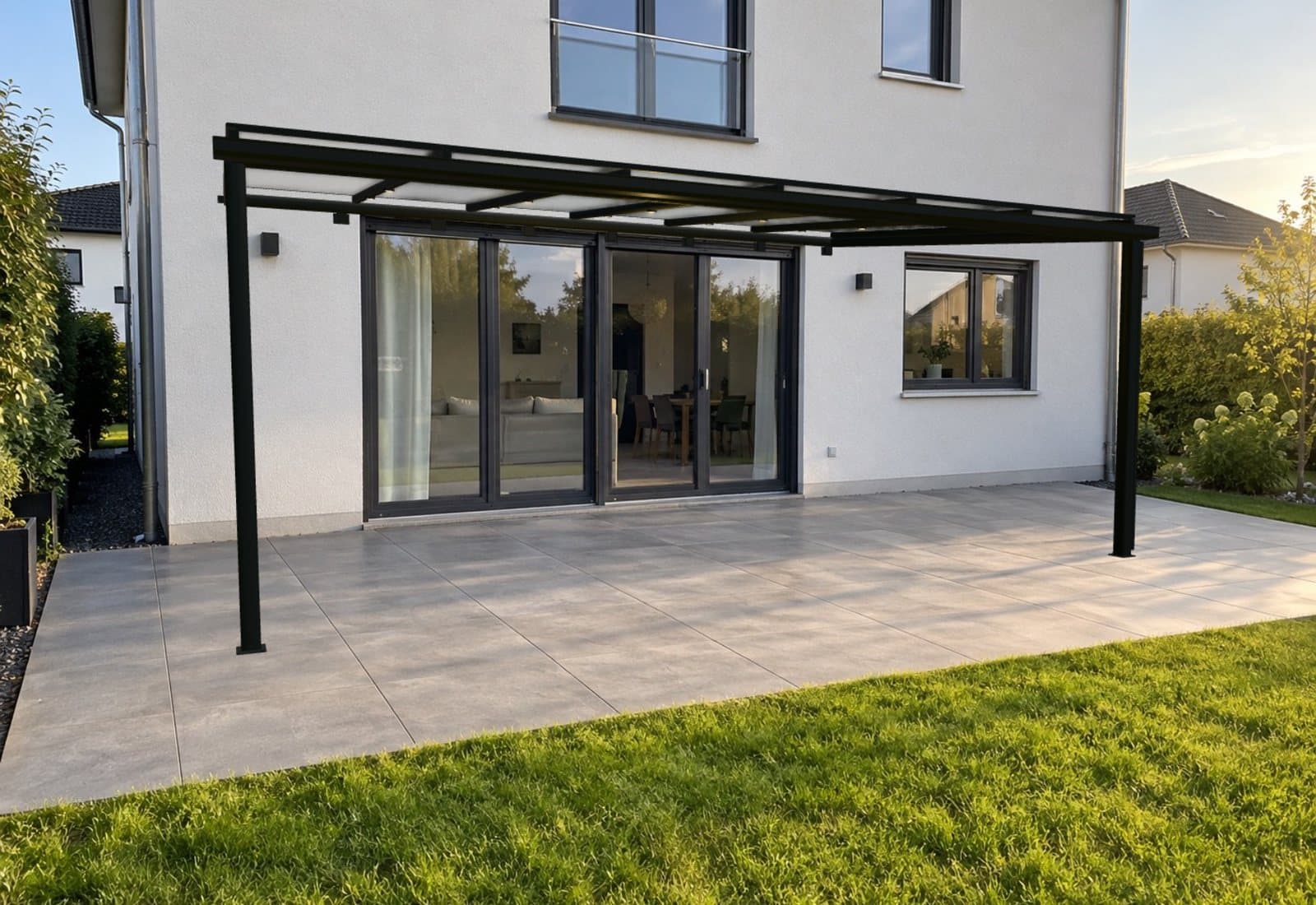
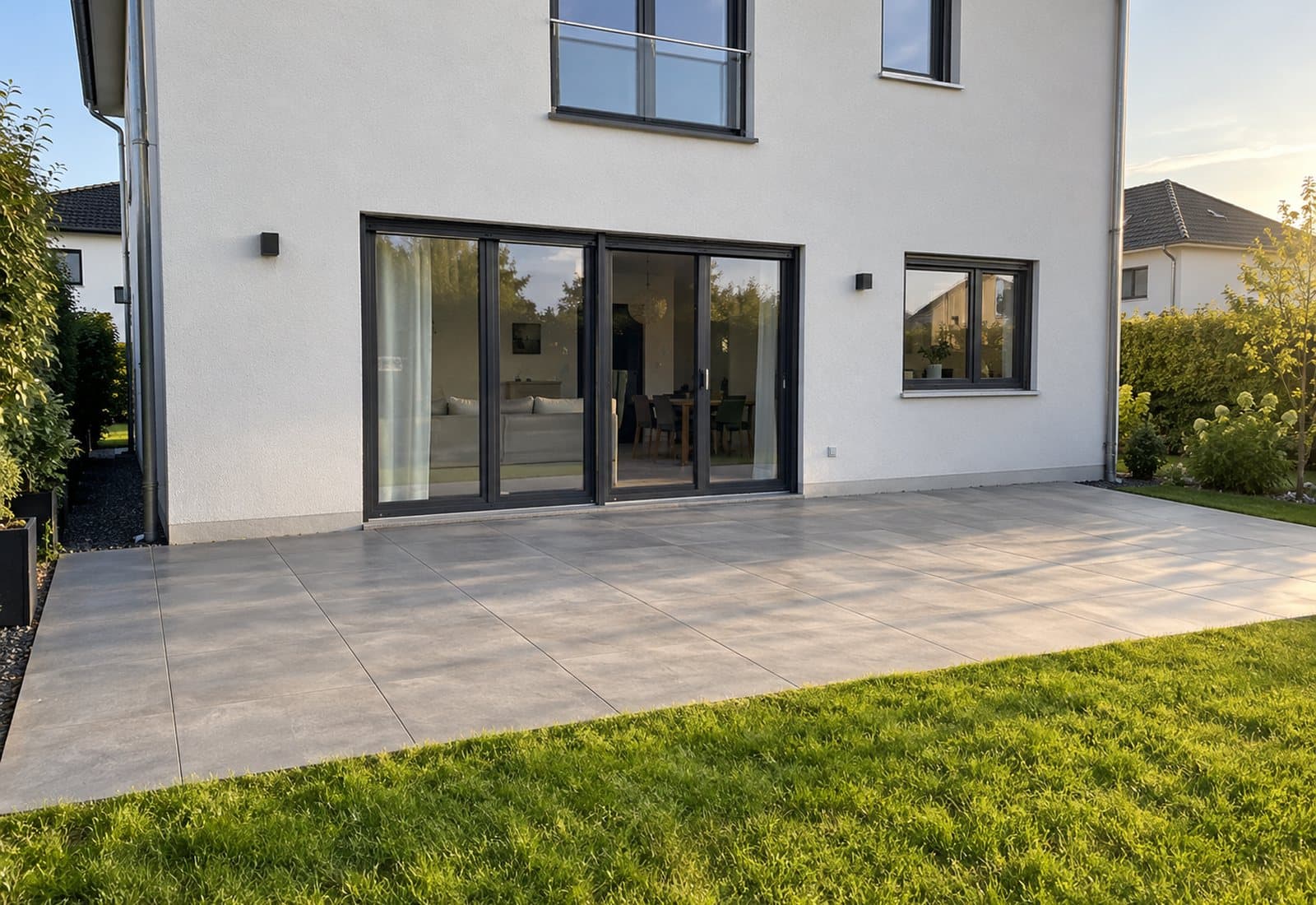
The patio roof is rendered live in the configurator – not a photo montage.
Why visualising on their own house speeds up buying decisions
Most objections when buying a patio roof come down to imagination: will the roof look too bulky? Does anthracite go with the façade? Will it be too dark underneath? Brochures and reference photos show other people’s houses. Your customer has to translate the answer in their head – and puts off the decision.
“My Photo” answers these questions on the right object. The customer sees proportions, colour and roofing on their own house and can compare variants directly. Your conversation then does not start from scratch, but from a design they already like.
How “My Photo” works
- 1
Take or upload a photo
With a phone, right on the patio – or an existing picture of the back of the house.
- 2
Tap four corners of the house wall
From these markers, the configurator calculates the viewing angle, focal length and camera position. The camera height sets the scale.
- 3
The patio roof appears on the wall
The planned patio roof stands true to scale against the marked wall, with shadows that match the photo. Position and size can be fine-tuned.
- 4
Keep planning in the picture
Every change to colour, roofing, dimensions or side walls is visible in the photo immediately.
What makes “My Photo” different
No app, no AR device
Runs in the browser on any current phone. No download, no registration, no camera permission for live AR required.
True to scale, not a photo montage
The patio roof is calculated live in the configurator and aligned with the real geometry of the house wall.
Privacy-friendly
The view in the photo is calculated directly in the browser. You only receive photos the customer deliberately attaches to their enquiry.
Optional: AI 3D environment
On request, the photo is turned into a 3D environment in which the customer can move freely around their patio roof.
“My Photo” and augmented reality compared
Live AR through the phone camera is impressive, but often impractical in your customers’ everyday lives. The photo approach solves the typical problems:
| Live AR via camera | My Photo | |
|---|---|---|
| Requirement | Compatible device, often an app | Any phone with a browser |
| Where it works | Only on site, on the patio | Anywhere, even with an older photo |
| Sharing with a partner | Difficult | Photo and design as a link |
| Comparing at leisure | Phone has to be held up | Switch variants calmly on the picture |
We set up your configurator with your range. You test “My Photo” on one of your own projects.
Read more
- Patio roof plannerPatio roof plannerThe 3D planning software for your website: customers design their own patio roof, you receive enquiries you can quote straight away.Learn more
- IntegrationAll integrationsWordPress plugin or a single line of code: how the 3D configurator gets onto your website.Learn more
- Guides · SalesMore enquiries for patio roofsNine levers installers can use to win more and better enquiries through their website.Learn more
Frequently asked questions about “My Photo”
Which photos work best?
Ideally a shot of the back of the house where the wall for the future connection is clearly visible. A normal phone photo is enough; it must be possible to mark the four corners on the wall.
How accurate is the scale?
The scale is derived from the marked wall and the camera height. For visualisation it is very reliable; it does not replace measuring on site.
What happens to the photos?
The view in the photo is calculated in the browser. Only for the optional AI 3D environment is the photo transferred for processing. You only receive photos the customer attaches to their enquiry.
Does “My Photo” cost extra?
No. “My Photo” is included in both plans at no extra charge.
Request a demo
Tell us briefly what you sell. We will get back to you within one working day – with a date for your personal demo.